Prepare Data: CKAN
This guide explains how to add data to MINT using CKAN.
Adding Data via CKAN
CKAN is an open-source data management system that can be used to host and share datasets. When adding data to MINT via CKAN, there are two important requirements:
1. Spatial Coverage
Each dataset must include a spatial coverage field. This is typically a GeoJSON object describing the geographic area covered by the dataset. For example:
{
  "type": "Polygon",
  "coordinates": [
    [
      [-98.0, 30.3],
      [-97.5255, 30.3],
      [-97.5255, 30.155],
      [-98.0, 30.155],
      [-98.0, 30.3]
    ]
  ]
}
This field ensures that the dataset can be properly indexed and discovered based on its geographic relevance.
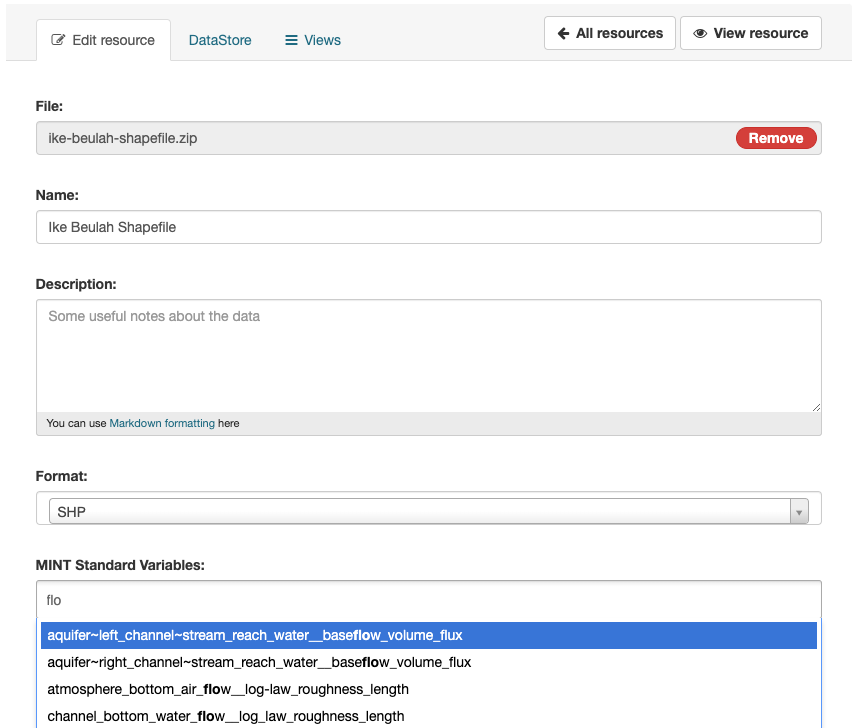
2. MINT Standard Variables
Each resource in the dataset must specify at least one MINT Standard Variable. These are standardized variable names used within the MINT platform to ensure interoperability and consistency across datasets. For example:
groundwater__initial_head
You can select from the list of standard variables provided in the MINT interface. This step is required for the dataset to be usable in MINT workflows.
Implementation Steps
- Set up your CKAN instance
- Create a new dataset
- Add the required spatial coverage field
- Add resources and specify MINT Standard Variables
- Publish the dataset
For more information, refer to the list of standard variables and the MINT documentation.